
Digital visibility matters more than ever for nonprofits because people often turn to Google when they want to support a cause, donate, or find local services. If your organization is easy to find online, you instantly build trust and make it simpler for your community to get involved.
One of the most effective free tools that helps nonprofits stand out is the Google Business Profile, which boosts your presence in local search results and gives you a place to share your mission, updates, and impact.
In this article, you will learn what a Google Business Profile is, why it plays such an important role for nonprofits, and how GBPin helps set up, manage, and optimize your profile. With the right guidance, your nonprofit can show up more often, connect with more people, and grow its support base.
What Is Google Business Profile and Why Nonprofits Need It
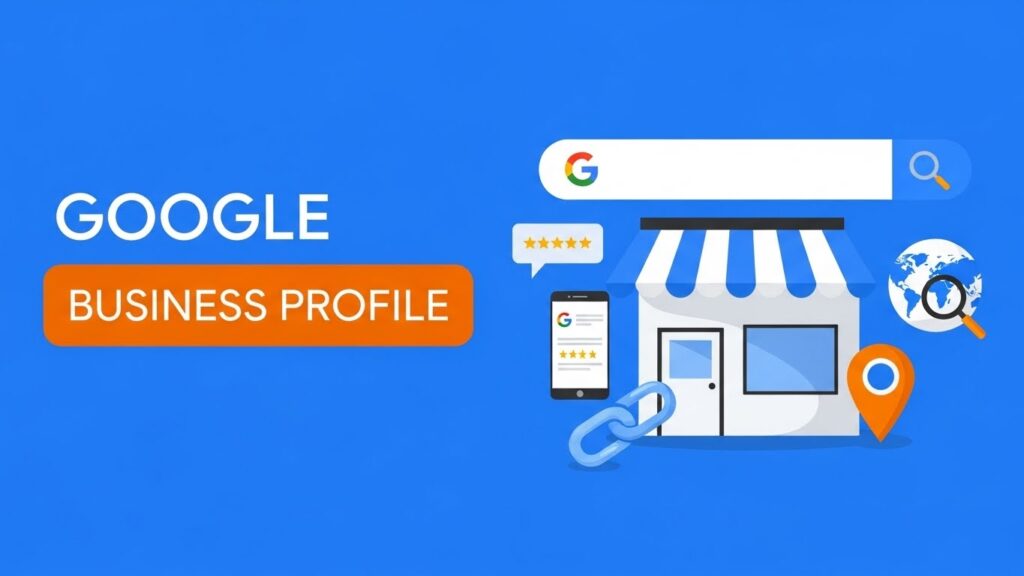
A Google Business Profile is a free tool from Google that allows organizations to appear in local Search results and on Google Maps. It serves as a central hub where people can quickly see who you are, what you do, and how they can get involved.
For nonprofits, this platform is especially powerful because it helps you show up in the exact moments when someone is searching for support, community programs, or causes to donate to.
Nonprofits benefit from a Google Business Profile even if they do not sell products. The platform increases your visibility, strengthens your credibility with a verified public listing, and makes it easier for people to learn about your mission and services.
A complete and active profile allows you to share updates, highlight programs, and communicate directly with the community.
Most importantly, a Google Business Profile helps convert everyday searchers into real supporters. People can find your location, read about your work, visit your website, donate, sign up to volunteer, or contact your team with just a few clicks.
When used well, GBP becomes a powerful gateway that connects your nonprofit with donors, volunteers, and participants who genuinely want to make a difference.
Key Benefits of Having a GBP for Nonprofits
Having a Google Business Profile gives nonprofits a powerful advantage by making it easier for people in the community to discover your organization. When someone searches for services or support in their area, such as “food bank near me” or “volunteer opportunities near me,” a well-optimized profile helps your nonprofit appear in both Google Search and Google Maps. This immediate visibility increases awareness and brings more people to your mission.
A Google Business Profile also gives you a place to clearly show your purpose, programs, and impact. You can highlight what your nonprofit does, who you serve, and why your work matters. Posting regular updates allows you to promote upcoming events, donation drives, volunteer opportunities, and important announcements. These posts help your community stay informed and engaged.
Sharing photos of your volunteer work, programs, and community efforts builds a stronger emotional connection. People can see your impact firsthand, which encourages trust and motivates them to get involved. Your profile also gives supporters quick access to your website, donation pages, sign-up forms, or contact information, making it easier for them to take action.
Reviews add another layer of credibility. When donors, volunteers, and beneficiaries share positive feedback, it strengthens your reputation and reassures new visitors that your nonprofit is legitimate and impactful.
Overall, a Google Business Profile helps nonprofits show up more often, tell their story more clearly, and connect with supporters who are ready to make a difference.
How to Set Up a GBP for a Nonprofit
- Claim or Create Your Profile
Start by searching your nonprofit’s name on Google Business Profile. If it appears, claim it. If not, create a new profile using your official organization name. - Verify Your Organization Details
Google will ask you to verify your information. This confirms your nonprofit is legitimate and helps build trust with supporters searching for you online. - Choose the Right Categories
Select the correct primary category, such as Nonprofit Organization or Charity, then add secondary categories that match your programs or services. Accurate categories help Google show your nonprofit to the right people. - Add Core Information
Include your mission statement, service areas, phone number, email, and website. If your nonprofit does not have a physical office, you can list service areas instead of an address. - Upload Photos and Visuals
Add your logo, cover photo, and images of your team, volunteers, and community work. These visuals help people understand your impact instantly. - Add Key Links
Include links to your website, donation page, volunteer sign-up form, and upcoming events. This makes it easier for people to take action.
Setting up these basics ensures your Google Business Profile is complete, trustworthy, and ready to attract supporters.
GBPin’s Setup Service for Nonprofits
With GBPin, your nonprofit does not have to worry about the technical steps or the finer details of setting up a Google Business Profile. We handle the entire process for you and make sure every element is accurate, optimized, and aligned with your mission.
From choosing the right categories to crafting a clear description, uploading visuals, and adding essential links for donations and sign-ups, we ensure your profile is complete and ready to perform.
Our team double-checks every detail so your nonprofit presents a polished, trustworthy, and professional presence on Google right from the start.
Additional Google Benefits for Nonprofits
Google Workspace for Nonprofits
The Google Workspace for Nonprofits program gives organizations access to essential productivity tools that make communication and collaboration much easier. Nonprofits can use Gmail, Drive, Docs, Meet, and Calendar at no cost, allowing teams to stay organized whether they are in the office or out in the field.
For organizations that need more storage, advanced security, or additional features, upgraded plans like Business Standard, Business Plus, and Enterprise are available at significantly reduced nonprofit rates.
These tools help streamline operations, manage volunteers more effectively, and maintain secure, professional communication across the entire team.
Google Ad Grants
The Google Ad Grants program offers nonprofits up to 10,000 dollars per month in free Google Search ads. This allows organizations to promote donation pages, volunteer opportunities, event registrations, awareness campaigns, or specific programs without spending their own funds.
These ads drive targeted traffic to a nonprofit’s website and help reach people who are actively searching for causes to support. With the right strategy, Google Ad Grants can significantly increase visibility, engagement, and overall impact.
YouTube Nonprofit Program
Through the YouTube Nonprofit Program, organizations gain access to special tools designed for storytelling and fundraising.
Nonprofits can use features such as Donation Cards or create compelling video content that highlights impact stories, volunteer experiences, and program results.
Video remains one of the most powerful ways to build emotional connection, and YouTube makes it easier to reach supporters worldwide with authentic, meaningful content.
Google Maps and Google Earth Outreach
The Google Maps and Google Earth Outreach tools allow nonprofits to visualize their work in a unique way. Organizations can map service areas, project locations, community programs, and outreach zones. This helps supporters clearly understand where the nonprofit operates and how their contributions make a difference.
Collectively, all these tools form the Google for Nonprofits ecosystem, and the Google Business Profile fits perfectly within it.
While the other tools help manage communication, outreach, advertising, and storytelling, GBP strengthens local visibility and credibility. Together, they give nonprofits a complete, powerful digital presence across the Google platform.

Best Practices for Maintaining a Strong GBP
Keeping your Google Business Profile active and accurate is essential if you want to stay visible and build long-term trust with supporters.
Start by making sure your contact information is always updated, including your phone number, website, and service areas. Post regularly to share events, volunteer needs, donation drives, and important updates. Consistent posting signals that your nonprofit is active and engaged with the community.
Upload new photos at least once a month to show your ongoing work, volunteer activities, and programs. Fresh visuals help people understand your impact and encourage them to get involved. Responding to reviews and questions also plays a big role in building trust. A simple reply shows that your nonprofit values feedback and stays connected with its community.
As your organization grows, update your profile with new services, programs, or seasonal activities. Keep your branding consistent across your website, social media, and GBP to create a unified and professional presence. It is also important to complete accessibility information so community members know how to reach or visit you.
Monitoring your GBP insights will help you understand how people find you and what actions they take.
GBPin can help you manage all these tasks by keeping your profile updated, optimized, and fully aligned with best practices, ensuring your nonprofit stays visible and trustworthy year-round.
Conclusion
A Google Business Profile is a free and powerful tool that every nonprofit should use to increase visibility, connect with supporters, and build trust in the community.
When paired with the broader Google for Nonprofits ecosystem, including tools like Google Workspace, Google Ad Grants, and the YouTube Nonprofit Program, nonprofits gain a complete digital presence that boosts awareness, engagement, and impact.
With GBPin, nonprofits do not have to navigate the technical details alone. We handle everything from setup and optimization to ongoing management, ensuring your profile stays accurate, engaging, and fully optimized.
This allows your organization to focus on what matters most: delivering your mission, serving your community, and making a difference. With the right support, a nonprofit can leverage GBP and Google’s nonprofit tools to reach more people and grow its impact efficiently and effectively.